PLC migration is the process of replacing an obsolete programmable logic controller, and usually its I/O, network, and operator screens, with a current platform while keeping the conveyor system doing the same job or a better one. The conveyor frames, rollers, and belts stay. The controls that run them get replaced.
Most conveyor systems outlive their controls. A system installed twenty or thirty years ago can still be mechanically sound while its processor, I/O cards, and programming software are no longer made or supported. When that controller fails, the question is how long your building is down while someone finds a used part. This guide covers why conveyor PLCs become obsolete, what a migration replaces, the main approaches, an eight-step plan, and how to keep the shutdown short.
At a glance
- Why migrate: parts are discontinued, software won’t run on current computers, and fewer people can support the old platform.
- What changes: the processor, often the I/O and network, the operator screens, and sometimes the panel itself. Field devices and conveyor stay where they can.
- Two program paths: convert the existing logic to the new platform, or rewrite it from a functional specification.
- Two cutover paths: all at once in a planned shutdown, or section by section while the rest runs.
- Start with an audit and a full backup of the existing program. Everything else depends on them.
Table of Contents
What PLC Migration Means for a Conveyor System
A conveyor control system has several layers, and a PLC migration can touch any of them:
- The processor (CPU): runs the program that starts and stops motors, tracks cartons, releases accumulation, and fires diverts.
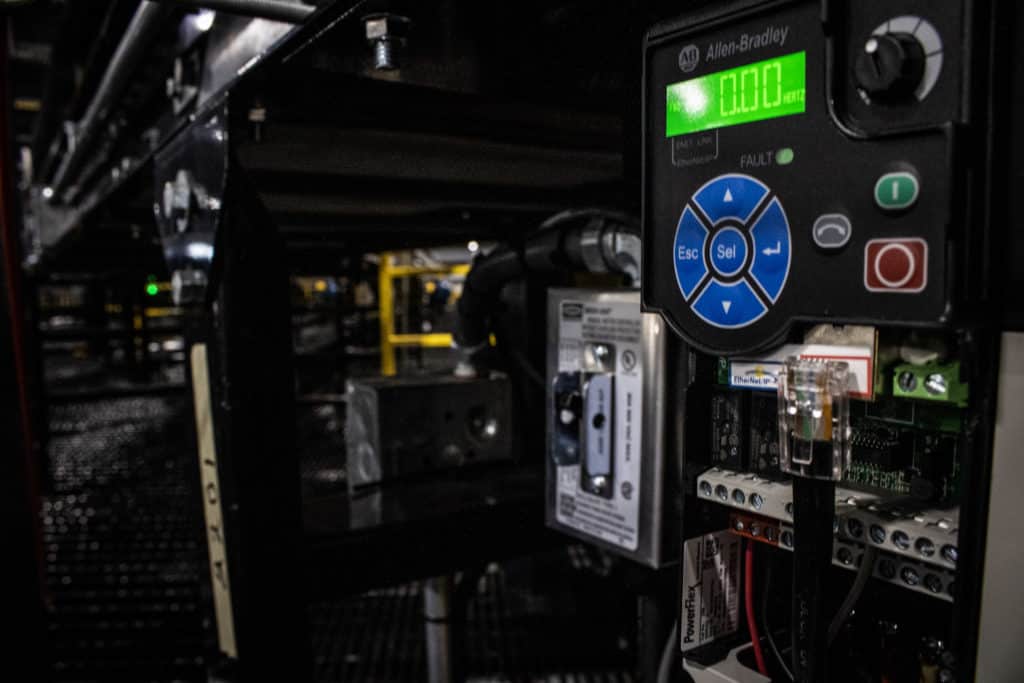
- I/O: the input and output modules that connect the processor to photo eyes, push buttons, motor starters, drives, and solenoids.
- The network: how the processor talks to remote I/O, drives, scanners, the HMI, and the warehouse control system.
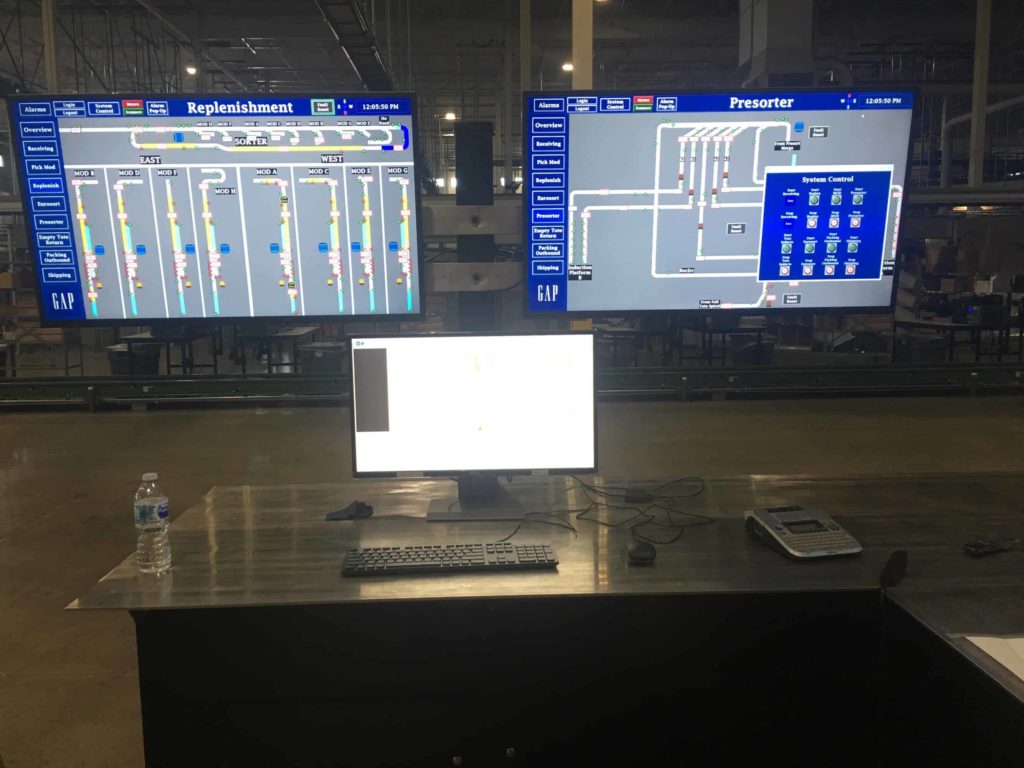
- The HMI: the operator screens that show faults, jams, and system status.
- The program: the logic itself, including sortation logic, zone control, and interlocks.
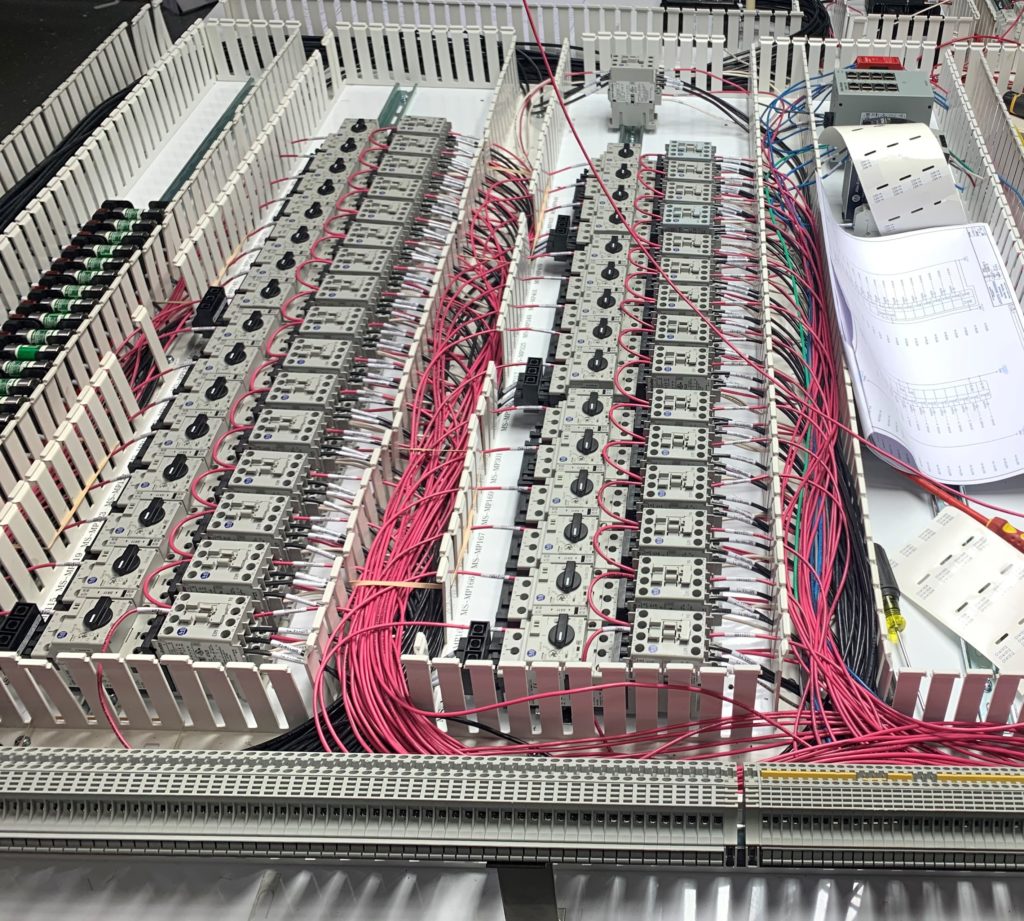
- The panel: the enclosure, power distribution, starters, and wiring that house it all.
A narrow migration swaps the processor and converts the program. A full migration replaces the processor, I/O, network, and HMI, and often rebuilds or replaces the panels. Most conveyor projects land somewhere between, decided by what’s obsolete, what’s failing, and what the system needs to do next.
Why Conveyor PLCs Become Obsolete
PLC manufacturers retire product lines on a schedule. Major manufacturers publish a lifecycle status for their products, using stages such as active, active mature, end of life, and discontinued. The names vary by brand, but the pattern is the same: new sales slow, then stop, then repair and replacement support ends.
On the floor, obsolescence shows up as:
- Parts you can’t buy new. Replacement processors and I/O cards come from surplus dealers or eBay, with no warranty and no way to know how they were stored.
- Software that won’t run. Older programming packages may need an old laptop and operating system kept alive just to go online with the PLC.
- People who can’t support it. The technician who knew the system retires, and fewer integrators work on the old platform.
- Networks that don’t connect. Older proprietary networks may not talk to current drives, scanners, or warehouse software.
- No remote access. Without a current platform, every fault means waiting for someone to drive out and diagnose it.
Active mature vs. end of life
These two stages call for different plans. An active mature product is still sold and supported, but a successor exists and the clock has started. That’s the time to plan and budget a PLC migration on your schedule. An end-of-life or discontinued product means support is ending or gone, and a failure can turn into an emergency. The difference between the two is how much control you have over the timing.
Signs Your Conveyor Is Due for a PLC Migration
Any one of these is a reason to start planning:
- The processor or I/O is listed by its manufacturer as end of life or discontinued.
- You’ve bought replacement parts from surplus dealers in the last year.
- Only one or two people can go online with the system, and one of them is retiring.
- The program has no current backup, or nobody is sure the backup matches what’s running.
- Drawings don’t match the panels, or don’t exist.
- You want to add a sorter, scanner, or warehouse control system the old controller can’t talk to.
- Faults take hours to find because the system can’t be viewed remotely.
Century’s system audit article tells the story of a mid-size apparel manufacturer whose conveyor was installed in the early 1990s, last expanded in 2006, and run for years by a single on-site technician. A facility-wide power outage exposed how fragile the old panel infrastructure had become. The formal audit that followed was the first the facility had ever had. Read the audit story.
What Gets Replaced in a PLC Migration
| Component | Typical decision | What drives it |
|---|---|---|
| Processor (CPU) | Replace | The reason for the PLC migration in most cases |
| I/O modules | Replace or adapt | Whether the old I/O is obsolete; whether field wiring can be reused |
| Network | Often replace | Older proprietary networks may not connect to current devices |
| HMI and operator screens | Usually replace | Old HMIs and their software age out with the PLC |
| Drives | Case by case | Age, network compatibility, and parts availability |
| Panel enclosure and power | Reuse or rebuild | Condition, space for new hardware, and code compliance |
| Field devices (photo eyes, buttons, solenoids) | Mostly keep | Replace only failing or incompatible devices |
| Conveyor structure | Keep | Mechanical equipment usually has life left |
That last row is the point. In the audit story above, Century noted that rollers, frames, and belts are mechanical and fixable, while the intelligence driving them is what goes obsolete. A controls retrofit modernizes the system for a fraction of the cost of replacing it.
PLC Migration Approaches
There are two choices to make: how to handle the program, and how to cut over.
Converting the program vs. rewriting it
| Convert existing logic | Rewrite from a functional spec | |
|---|---|---|
| How it works | Translate the old program to the new platform, then clean it up and test | Document what the system must do, then write new logic |
| Best when | The program is well documented and the system works as intended | The program is undocumented, heavily patched, or the system needs new functions |
| Strengths | Faster; preserves known behavior | Clean, documented code; easier to support and expand |
| Risks | Carries over old workarounds and undocumented quirks | More engineering time; must capture every function the old system performed |
Manufacturers often provide conversion tools for moving from an older processor family to its successor. A tool gives you a starting point. Converted logic still needs review, cleanup, and full testing.
Full cutover vs. phased cutover
| Full cutover | Phased cutover | |
|---|---|---|
| How it works | The whole system switches to the new controls in one planned shutdown | One section or line switches at a time while the rest runs on the old controls |
| Best when | The system is small, or the building can shut down for a weekend or holiday | The building can’t stop, or the system is large |
| Strengths | One test period; no temporary interfaces between old and new | Short outages per phase; problems stay contained |
| Risks | Everything rides on one window | Temporary communication between old and new controllers; longer total schedule |
Century often recommends phasing large projects so daily operations continue alongside the work. Each phase is engineered to link with the existing system and leave room for what comes next. Our project phasing page explains the approach.
PLC Migration in 8 Steps
Step 1: Audit the system
List every controller, I/O rack, network, drive, HMI, and panel, with model numbers, firmware versions, and lifecycle status. Note what’s failing, what’s been patched, and what the operations team wants changed. The audit sets the scope and the budget.
Step 2: Back up and recover the existing program
Get a current copy of the program from the running processor, not from an old file on someone’s laptop. Compare it to any archived versions. If the program has no comments or descriptions, this is where an engineer starts working out what each section does. Keep copies of the backup in more than one place.
Step 3: Update the documentation
Walk the panels and field wiring and mark up the drawings to match what’s actually installed. Missing or wrong drawings are one of the most common reasons a cutover runs long. Every wire you trace before the shutdown is one you don’t trace during it.
Step 4: Write the functional specification
Describe what the system does today and what it needs to do after the PLC migration: zone logic, accumulation, merges, sortation rules, interlocks, fault handling, and interfaces to scanners, the WMS, or a warehouse control system. Include the improvements the operations team asked for in step 1. The spec is what the new program will be tested against.
Step 5: Design the hardware and panels
Select the new processor, I/O, network, and HMI. Then produce the electrical drawings. Century’s controls engineering process includes AutoCAD electrical drawings covering panel layouts with a bill of material, motor power wiring, electrical schematics, input and output schematics, and field wiring diagrams. Decide whether existing panels can be retrofitted or new panels should be built and installed beside the old ones.
Step 6: Program and test before the shutdown
Write or convert the program and test it against the functional spec before anyone touches the live system. Bench testing with the actual hardware catches I/O mapping errors, network problems, and logic mistakes while the conveyor is still running on the old controls. Build the new HMI screens and test them at the same time.
Step 7: Plan and execute the cutover
Write a cutover plan that lists every task, who does it, how long it takes, and in what order. Include a rollback plan: what it takes to put the old controls back if the new system isn’t ready when the window closes. Then execute it during the agreed window, section by section if the project is phased.
Step 8: Commission, train, and support
Check every input and output, then run the system with product at increasing rates. Verify every e-stop and pull cord. Train operators and maintenance staff on the new HMI and fault screens. Century’s process includes punchlist development and tracking, launch assistance with start-up support at your facility, and ongoing service and support after go-live.
How to Keep PLC Migration Downtime Short
The work that shortens a shutdown happens weeks before it.
- Pre-build and pre-test panels. Panels built and tested in the shop arrive ready to wire. Century and LaFayette Engineering design and fabricate panels in-house at a UL-listed panel shop in Danville, Kentucky, which keeps panel quality and schedule under one team. See control panel design and fabrication.
- Label every field wire in advance. Tag each wire with its new terminal so moving it takes seconds.
- Install new hardware beside the old where space allows. New panels mounted next to the existing ones let crews pre-wire and test before the switch.
- Cut over one section at a time. A phased plan limits each outage to one line or area.
- Schedule around your peak. Avoid your busiest season and plan cutovers for weekends, holidays, or planned maintenance windows.
- Stage spare parts on site. Keep spares of new I/O modules, power supplies, and network components at the job.
- Have a rollback plan. Know exactly what it takes to return to the old controls if testing runs past the window.
- Keep the same team start to finish. The engineers who wrote the program should be on site for the cutover.
Century’s retrofit work runs from projects of a few thousand dollars to a few million, and in every case the team coordinates with your operations staff to update the system with as little downtime as possible. Explore retrofit and modernization.
What Changes After a PLC Migration
The biggest change after a PLC migration is often visibility. With modern controls and a secure VPN connection in place, a technician can connect to the system remotely, see real-time status and faults, and walk your team through a fix by phone.
The audit story above describes the difference. Before, a blocked photo eye meant calling for service, waiting for a technician to drive out, and waiting again for a fix. After Century replaced the antiquated panel internals with modern LaFayette controls, technicians in Danville can connect over VPN, pull up the system, and tell the customer what broke and how to fix it, often in the same call the fault is reported.
Century’s 24/7 support is built around that access. Support comes in three levels: warranty support around the clock for newly installed or upgraded areas, normal support from 8 a.m. to 5 p.m. Eastern on weekdays, and extended support 24 hours a day, 365 days a year. The team can support you by phone or connect directly to the PLC once a VPN connection is set up.
Other benefits that come with the new platform:
- Current parts from recognized manufacturers, available locally. Century’s controls designs use open, non-proprietary components and programming architectures for that reason.
- Documented code and drawings your team and future integrators can follow.
- Room to grow. A current network can add scanners, sortation, robotics, or a warehouse control system the old controller couldn’t support.
- Better fault information. Modern HMIs can show where a jam is and what caused it.
Safety During a PLC Migration
Controls work changes how machinery starts, stops, and responds to faults, so safety has to be planned into every step.
- Lockout/tagout. Work on panels and conveyor during a migration falls under OSHA’s control of hazardous energy rule, 29 CFR 1910.147. Paragraph (f)(1) sets the sequence to follow when lockout devices must be temporarily removed so equipment can be energized for testing or positioning, which happens constantly during commissioning.
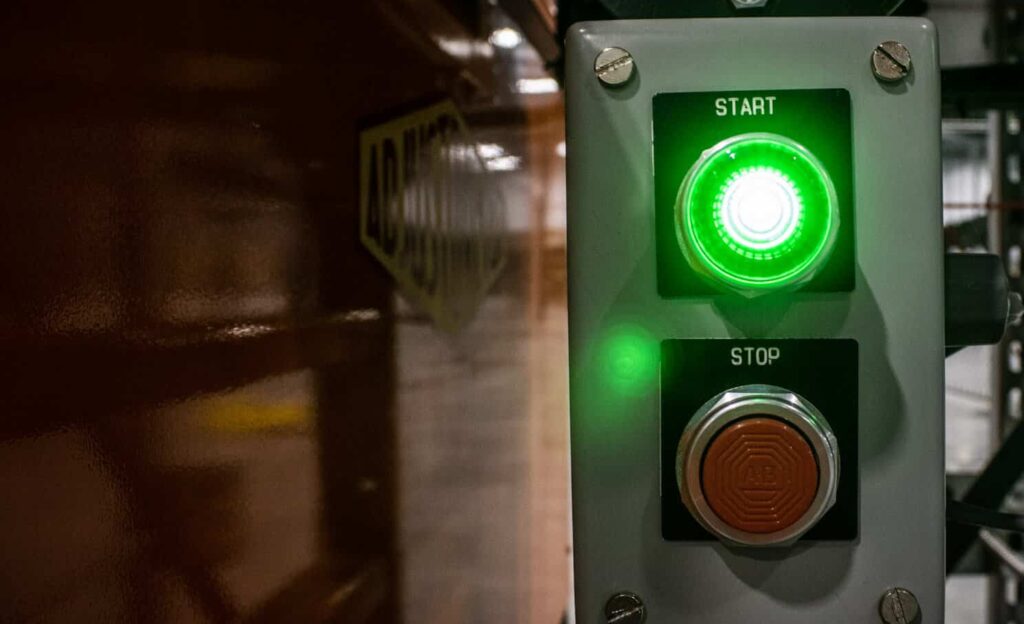
- Verify every stop device. Test every e-stop, pull cord, and safety interlock after the cutover, even if it worked the day before.
- Electrical design standards. NFPA 79, the electrical standard for industrial machinery, addresses the electrical equipment of machines, including control circuits and emergency stop functions. Your engineer applies it when designing the new controls. See the NFPA 79 page.
- Guarding and access. Keep guards in place and limit access to areas under test. Our conveyor safety guide covers guarding and stop devices.
This section is general information, not engineering or legal advice. Your migration’s safety design should be reviewed by qualified engineers for your specific system.
What Drives PLC Migration Cost
Century doesn’t publish standard pricing, because every system is different. These are the factors that move a PLC migration budget:
- I/O count and system size. More devices mean more hardware, wiring, and testing.
- Program condition. A documented, working program converts faster than an undocumented one that needs a rewrite.
- Drawing accuracy. Missing drawings add field time before design can start.
- Panel reuse or replacement. Retrofitting existing enclosures costs less in hardware but may cost more in field labor.
- Network and drive changes. Replacing an old network can mean replacing drives and remote I/O with it.
- HMI and software interfaces. New screens and connections to a WMS or WCS add engineering time.
- Cutover windows. Weekend, holiday, and overnight work, and phased cutovers with temporary interfaces, add labor.
An audit turns these factors into a prioritized scope, so you can replace what’s urgent now and plan the rest over time.
Choosing a PLC Migration Partner
Ask any integrator you’re considering:
- Do you design and build the panels, or subcontract them?
- Will you back up and review our existing program before quoting?
- Do you convert, rewrite, or decide case by case, and how do you test before cutover?
- What does the cutover plan include, and what’s the rollback plan?
- Will the same engineers be on site at go-live?
- What support do you offer after the warranty period, and can you connect remotely?
- Do you use open, non-proprietary hardware so we can get parts locally?
Century’s controls engineering team and its partners across the LaFayette Engineering family of companies handle controls design, panel fabrication, PLC programming, and support within one family of companies. Learn more about LaFayette Engineering.
What is PLC migration?
PLC migration is replacing an obsolete programmable logic controller, and often its I/O, network, and operator screens, with a current platform. The program is converted or rewritten for the new hardware, tested, and cut over while the conveyor equipment itself stays in place.
How do I know if my conveyor PLC is obsolete?
Check the manufacturer’s lifecycle status for your processor and I/O. Other signs include buying replacement parts from surplus dealers, programming software that only runs on an old laptop, missing backups or drawings, and a shrinking number of people who can support the system.
Can the old PLC program be converted to the new platform?
Often, yes. Manufacturers provide conversion tools for moving between processor families. The converted program still needs review, cleanup, and full testing. If the old program is undocumented or heavily patched, rewriting it from a functional specification can be faster and safer.
How long does a PLC migration shutdown take?
It depends on system size, how much is being replaced, and how much is pre-built and tested before the outage. Pre-wired panels, labeled field wiring, and a phased plan can keep each outage to a weekend or a planned maintenance window.
Can a PLC migration be done in phases?
Yes. A phased PLC migration moves one section or line at a time to the new controls while the rest keeps running on the old system. It needs temporary communication between old and new controllers, but it keeps each outage short.
Do I need to replace my control panels?
Not always. Some enclosures can be retrofitted with new hardware. Panels that are crowded, damaged, or out of date are often replaced with new panels built and tested in the shop, which also shortens the cutover.
What if we don’t have the original program or drawings?
An engineer can upload the program from the running processor and trace field wiring to rebuild the drawings. This adds time before design starts, which is why the audit and backup come first.
Does PLC migration mean replacing the conveyor?
No. Conveyor frames, rollers, and belts usually have years of life left. A PLC migration replaces the controls that run them, which costs far less than replacing the whole system.
Plan the Migration Before the Failure Plans It for You
A PLC migration is easiest when the old controller is still running. You have time to audit, back up the program, fix the drawings, build and test the new panels, and choose a cutover window that fits your operation. Wait for the failure, and the same work happens under pressure while the building is down.
Century Conveyor has designed, built, and supported conveyor controls since 1981. If your system runs on a controller that’s end of life, or you’re not sure what it runs on, explore Century’s programmable logic controls or contact our team to start with an audit.