Goods to person is a picking method where stored inventory is brought to a worker at a fixed station, instead of the worker walking the aisles to find it. A machine (a lift, shuttle, carousel, or robot) retrieves the right tote, tray, or shelf and presents it at the station, the worker picks what the order needs, and the machine puts the rest away.
In a traditional person-to-goods warehouse, walking is often the biggest share of a picker’s day. Goods to person removes most of that walking, concentrates picking into a few ergonomic stations, and packs storage far denser than shelving or rack. It’s also a significant investment that only pays off for the right inventory and order profile, and it depends on the conveyor, controls, and software around it as much as on the storage system itself.
This guide covers how goods to person works, the main system types, how they connect to conveyor, when they pay off, and what to plan before you buy.
At a glance
- Goods to person brings inventory to a stationary picker. Person to goods sends the picker to the inventory.
- System types range from vertical lift modules and carousels to shuttle systems, grid and cube storage, and mobile robots.
- The best fit is usually a large number of slow and medium movers in small items. Very fast movers often still pick faster from carton flow with pick-to-light.
- The storage system is only half the project. Conveyor, accumulation, sortation, and software decide whether the stations stay busy.
- Start with your order and SKU data, not a vendor brochure.
Table of Contents
How Goods to Person Works
Every goods to person system follows the same basic cycle:
- An order is released. The warehouse management system (WMS) or a warehouse control system sends the order lines to the goods to person system’s software.
- The system retrieves inventory. A machine pulls the tote, tray, bin, or shelf that holds the needed SKU from dense storage.
- Inventory is presented at a station. The container arrives at a workstation at a comfortable working height, often with a light or screen showing which compartment and how many units to pick.
- The worker picks. The worker moves units into an order tote or carton, usually confirmed by a scan, a button, or a light.
- The container goes back. The source container returns to storage, and the next one arrives.
- The order moves on. When the order tote is complete, it leaves the station, typically on conveyor, toward packing, consolidation, or shipping.
The same stations usually handle other work too. Century’s goods-to-person solutions page notes that the Attabotics presentation station supports picking, decanting, cycle counts, and kitting. Decanting (moving inbound product from cases into storage totes) is often the overlooked half of a goods to person operation, because every unit picked had to be put away first.
Goods to Person vs. Person to Goods
| Person to goods | Goods to person | |
|---|---|---|
| Who moves | The picker walks or drives to locations | Inventory comes to a fixed station |
| Storage | Shelving, flow rack, pallet rack, pick modules | Dense automated storage (totes, trays, shelves) |
| Labor driver | Travel time between picks | Station pick rate and container delivery rate |
| Accuracy aids | RF scanning, voice, pick-to-light | Lights, screens, and scans at the station; one SKU presented at a time |
| Flexibility | Easy to re-slot and add people | Capacity set by the system’s retrieval rate |
| Investment | Lower up front | Higher up front, lower labor per pick |
Most buildings end up with both. Fast movers often stay in carton flow pick modules with pick-to-light, while slow movers go into automated storage. Our article on picking methods for high-SKU distribution walks through how operations with tens of thousands of SKUs split their inventory between methods, and our pick to light guide covers the fast-mover side.
The AmerisourceBergen distribution center in Thorofare, New Jersey shows how methods can share one tote flow. Century’s conveyor system sends totes either to eight manual pick zones of flow rack and shelving or to an A-frame automated picker, and a scanner decides which orders still need machine picks. Read the AmerisourceBergen story.
7 Types of Goods to Person Systems
There are many brands, but most systems fall into a few families:
| Type | How it works | Typical strengths | Watch-outs |
|---|---|---|---|
| Vertical lift module (VLM) | Trays stored on both sides of a tall cabinet; a lift brings trays to an opening | Small footprint, very dense, good for small parts | One opening per unit limits throughput |
| Vertical carousel | Shelves rotate on a vertical loop to the opening | Simple, dense, low cost per unit | Speed limited by rotation |
| Horizontal carousel | Bins rotate on a horizontal loop; often several units per picker | Good for moderate volumes of small items | Floor space, rotation time |
| Shuttle or miniload ASRS | Shuttles or cranes run in aisles of tote or tray rack, feeding stations by conveyor or lift | High throughput, scalable by adding shuttles | Larger investment, aisle-based footprint |
| Grid or cube storage (top-running robots) | Bins stacked in a grid; robots on top dig out and deliver bins | Very dense, scalable, modular | Digging for deep bins; top grid is the work plane |
| 3D cube storage (robots inside the structure) | Robots travel horizontally and vertically inside the structure to reach any bin directly | Dense, direct access to each location | Newer category; check references and service model |
| Mobile robots (AMR shelf-to-person or tote-to-person) | Robots carry shelving pods or totes from a storage field to stations | Flexible, can grow in stages, uses existing floor | Floor space for the storage field; traffic management |
Vertical lift modules and carousels
These are the smallest systems in the category, often sized for a department rather than a building: a parts room, a small-parts zone, or the slow tail of a larger operation. Our vertical lift module guide covers how a VLM works, its throughput limits, and how it connects to conveyor.
Shuttle and miniload systems
Shuttle systems store totes or trays in aisles of rack, with a shuttle on each level (or a crane per aisle) and lifts at the aisle ends feeding a conveyor loop to the stations. They’re built for high rates and handle large SKU counts well. The conveyor between the aisles and the stations is a big part of the design.
Grid and cube storage
Grid systems stack bins directly on top of each other inside an aluminum or steel grid, with robots running on top. Robots lift bins out of the stack and deliver them to ports at the edge. The density is high, but a bin near the bottom of a stack has to be dug out from under the ones above it.
Century’s offering in this category is built around Attabotics, part of the LaFayette Systems family. Century’s page describes how Attabotics robots travel horizontally and vertically inside the cube structure to reach any storage location directly, instead of digging bins out of the way, and how the system integrates with the conveyor, sortation, and controls Century designs and installs. The page also lists Attabotics’ own figures, including up to 85% less warehouse space and up to a 75% reduction in picking labor. Results in any building depend on its inventory, orders, and layout. Mobile robots
Shelf-to-person robots slide under shelving pods and carry them to stations. Tote-to-person robots carry or retrieve individual totes. These systems can start small and add robots as volume grows, but they need a large, flat storage field and careful traffic and charging planning.
Where Conveyor Fits in a Goods to Person System
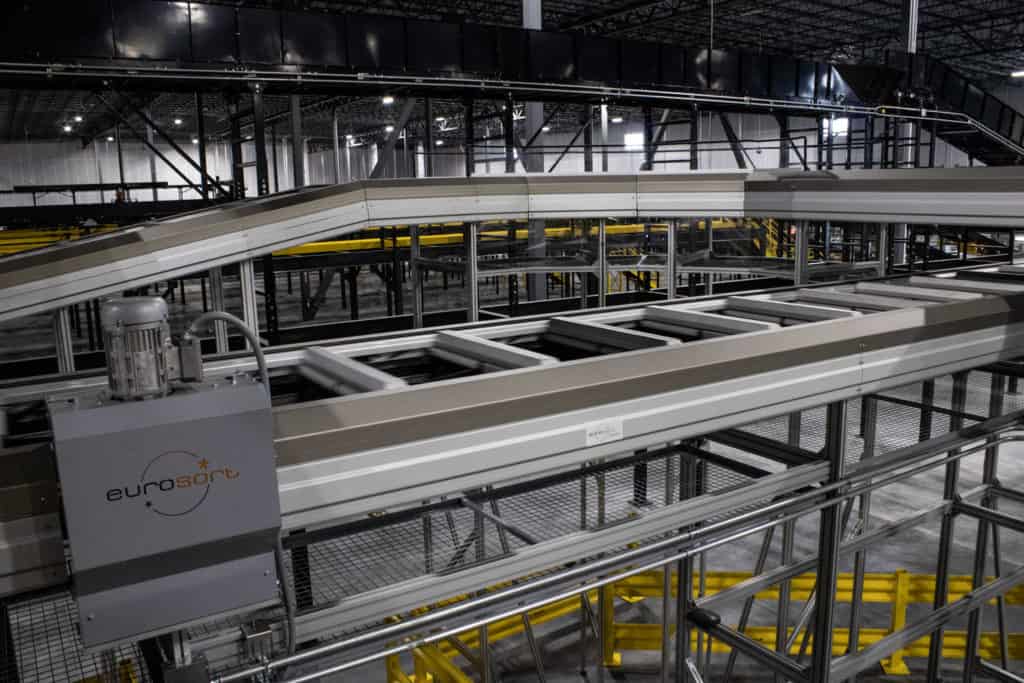
Vendors sell the storage system, but a goods to person operation is a flow, and most of that flow runs on conveyor.
- Inbound to decant. Cases from receiving travel to decant stations, where product goes into storage totes. A slow decant area starves the whole system.
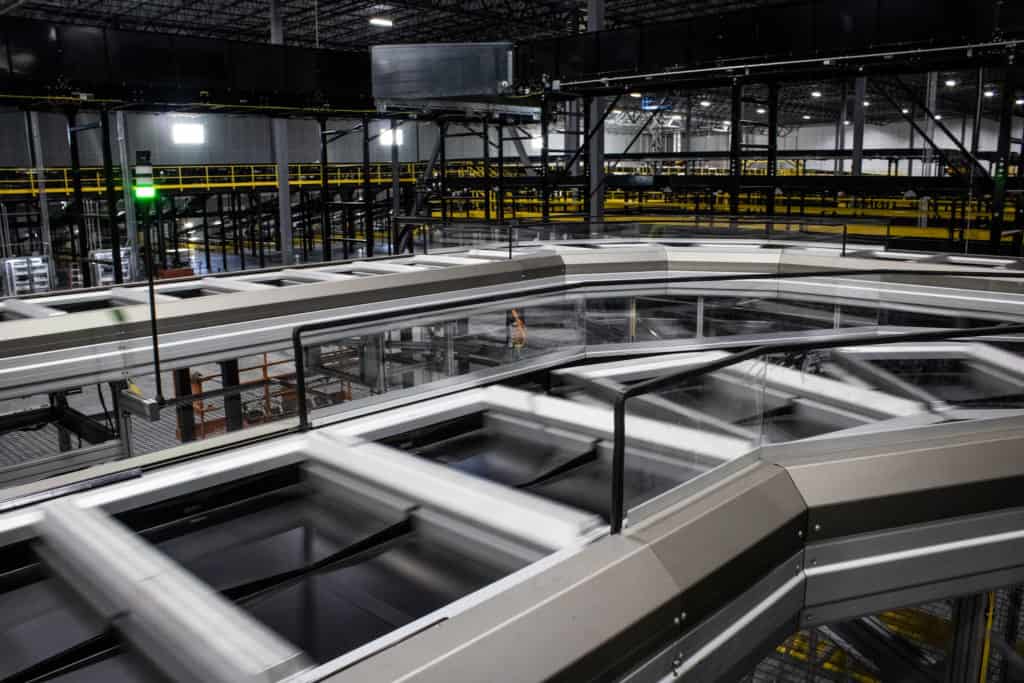
- Storage to stations. Shuttle and miniload systems usually feed stations by conveyor. The loop in front of each station needs accumulation so the next container is always waiting.
- Order totes in and out. Empty order totes or cartons have to arrive at every station, and completed ones have to leave without blocking the picker.
- Consolidation. Orders that need items from the automated storage and from other areas (flow rack, pallet pick, freezers) need a place to meet, often a put wall or a sorter.
- Packing and shipping. Completed orders go to pack stations, print and apply, and shipping sortation.
- Empty tote return. Order totes and storage totes both need a path back.
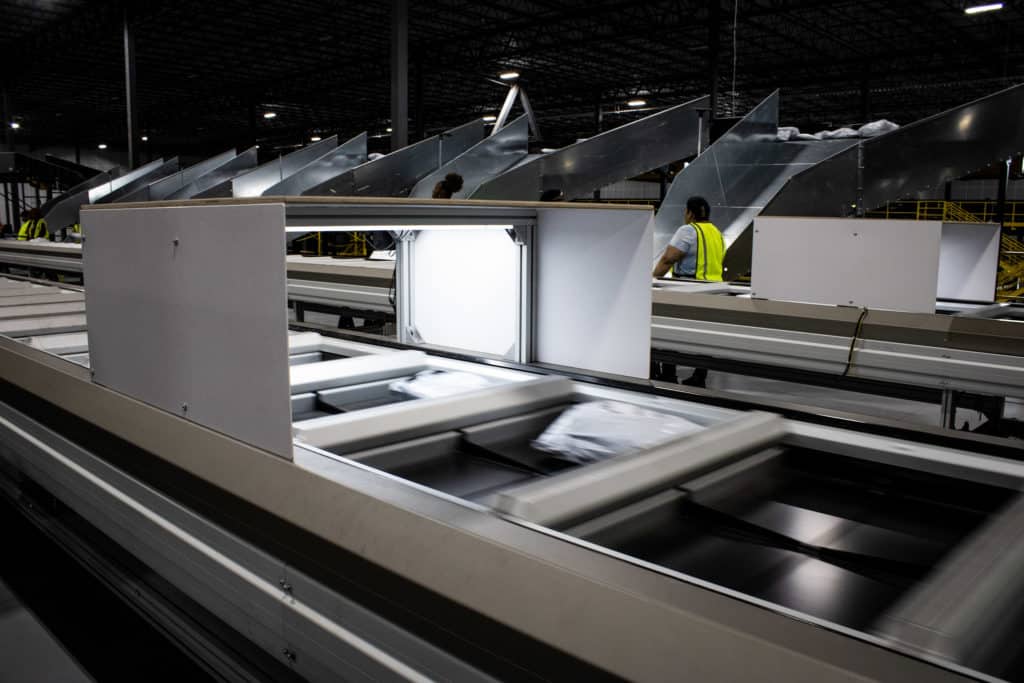
This is where a lot of goods to person projects lose their rate. A station that can pick several hundred lines an hour is only as fast as the conveyor that brings it order totes and takes them away. Zero-pressure accumulation conveyor in front of and behind each station keeps product moving when the next step pauses.
Routing totes only where they need to go is a design idea that applies here too. At the HD Smith distribution center Century worked on, the conveyor control system routes each order tote only to the pick zones that hold its items. Pickers there pick 250 to 300 lines per hour. That’s a person-to-goods zone system, but the routing logic is the same thinking that keeps automated pick stations from waiting. Read the HD Smith story.
Our guide to conveyor system design covers the rate math, buffers, and merges that decide whether the conveyor around automated storage keeps up.
Software and Controls
Every automated storage system has its own software that decides which container to retrieve, where to store it, and which station gets it. That software has to talk to everything around it:
- WMS or ERP for orders, inventory, and receipts.
- Warehouse control system (WCS) for conveyor routing, sortation, and the flow of totes between areas.
- Station hardware such as lights, screens, scanners, and scales.
- Conveyor PLCs for accumulation, merges, and diverts.
Century’s goods-to-person page says Attabotics software connects to an existing ERP or WMS and hands off to the conveyor, sortation, and controls systems Century engineers around it. Ask any vendor exactly where its software stops and who owns each interface. The boundaries between the storage system, the conveyor controls, and your WMS are where integration problems usually hide. Century’s warehouse control system page covers the controls layer that ties conveyor and sortation together.
When Goods to Person Pays Off
Goods to person fits best when several of these are true:
- High SKU count with a long tail. Thousands of SKUs that each sell a few units a day or a week. Walking to those locations is expensive; bringing them to a station isn’t.
- Small, conveyable items. Items that fit in totes or trays. Bulky, heavy, or odd-shaped products usually stay in other storage.
- Many order lines per day. Enough picks to keep stations busy across shifts.
- Labor is hard to find or keep. Fewer, more productive stations reduce dependence on large pick crews.
- Space is tight. Dense storage can free floor for other work or delay a building expansion.
- Accuracy matters. Presenting one SKU at a time with confirmation reduces picking errors.
It fits less well when:
- A few SKUs drive most of the volume. Very fast movers are often picked faster from carton flow with pick-to-light, or as full cases.
- Orders are mostly full cases or pallets. Case and pallet picking belong on other equipment.
- Product doesn’t fit standard containers. Long, heavy, fragile, or irregular items.
- Volume is small or seasonal. Stations sitting idle most of the year are expensive.
The real question is which part of your inventory belongs in it.
What Drives the Cost
Century doesn’t publish pricing, and costs vary widely by system type and size. The main drivers are:
- Storage capacity: number of storage locations or containers.
- Throughput: number of robots, shuttles, or lifts, and number of stations.
- Building work: floor preparation, structural changes, and fire protection.
- Conveyor and sortation around the system.
- Software and integration with your WMS, WCS, and conveyor controls.
- Service: maintenance contracts, spare parts, and on-site technician coverage.
Planning a Goods to Person Project
- Pull your data. At least a year of order lines by SKU, with item dimensions and weights. This tells you which SKUs belong in goods to person and how many lines per hour the stations need to handle at peak.
- Profile by velocity. Group SKUs into fast, medium, and slow movers. Decide which groups go into the new system and which stay in flow rack, shelving, or pallet positions.
- Size storage and stations together. Storage capacity and retrieval rate are separate numbers. A system can have enough locations and still not deliver containers fast enough at peak.
- Design the flow around it. Decant, order tote supply, consolidation, packing, and shipping. Plan the conveyor and accumulation at the same time as the storage system.
- Plan for downtime. Ask how the system behaves when a robot, shuttle, or lift fails, and how quickly the vendor’s service team can respond. Century’s goods-to-person page notes that if one Attabotics robot goes down, the rest keep working.
- Check fire protection early. Dense storage changes sprinkler design. Involve your fire protection engineer and insurer at the concept stage. Century’s page notes that Attabotics uses steel bins rather than plastic totes and that fire safety certification with commercial insurers is underway.
- Plan the cutover. In a running building, decide how inventory moves from old storage into the new system and how picking continues during the transition.
Safety and Maintenance
Automated storage keeps the robots and machines away from the picker, which removes a lot of exposure, but the stations and storage still need attention:
- Stations: light curtains, interlocks, and guarding where containers move in and out of the opening. OSHA’s machine guarding rule, 29 CFR 1910.212, applies to the conveyor and machine hazards around them.
- Maintenance access: technicians entering a grid, shuttle aisle, or robot field need lockout procedures under 29 CFR 1910.147 and the vendor’s specific safe-entry steps.
- Spare parts and training: robots, shuttles, and lifts are specialized equipment. Keep critical spares on site and make sure your maintenance team, or your service provider, is trained on them.
MHI’s ASRS Industry Group publishes educational material on automated storage and retrieval systems, a useful vendor-neutral starting point.
This section is general information, not engineering or legal advice. Have your system, fire protection, and safety design reviewed for your building and local codes.
What does goods to person mean in a warehouse?
Goods to person means inventory is brought to a picker at a fixed workstation by a machine, such as a lift, shuttle, carousel, or robot, instead of the picker walking to storage locations. The picker takes the units an order needs and the container goes back into storage.
What is the difference between goods to person and person to goods?
In person to goods, the picker travels to inventory in shelving or rack. In goods to person, inventory travels to the picker. Goods to person cuts walking time and packs storage more densely, at a higher up-front cost.
Is goods to person the same as ASRS?
Many goods to person systems are automated storage and retrieval systems (ASRS), such as vertical lift modules, shuttle systems, and cube storage. Some, like mobile robots carrying shelving pods, aren’t usually called ASRS. Not every ASRS is used for goods to person; pallet ASRS mostly stores full pallets.
What products work best in goods to person?
Small, conveyable items that fit in totes or trays, especially a large number of slow and medium-moving SKUs. Bulky, heavy, or irregular products, and very fast movers, usually fit better in other storage and pick methods.
How does goods to person connect to conveyor?
Conveyor typically brings cases to decant stations, carries storage containers to and from stations in shuttle systems, supplies empty order totes, and takes completed orders to consolidation, packing, and shipping. Accumulation in front of and behind each station keeps the stations working.
What happens when a goods to person system goes down?
It depends on the design. Systems with many robots or shuttles can keep running at reduced capacity when one unit fails, while a single-lift system stops until it’s repaired. Ask how the system degrades, what spares to keep on site, and how fast service can respond.
How much does a goods to person system cost?
Costs vary widely with storage capacity, throughput, building work, conveyor, software, and service. Get quotes based on your own order and SKU data, and compare the total project cost, not just the storage system.
Bring Goods to Person Into the Whole System
Goods to person can change how a building picks, but only if the storage, stations, conveyor, controls, and software are planned as one system. The best results start with your data: which SKUs belong in the system, what rate the stations need at peak, and how orders flow in and out.
Century Conveyor has been designing, installing, and supporting conveyor and order fulfillment systems since 1981, and integrates goods to person storage with the conveyor, sortation, and controls around it. To see what that could look like in your building, explore Century’s goods-to-person solutions or contact our team to talk through your space, throughput, and SKU profile.