Pick to light is a picking method where a light module mounted at each storage location turns on to show a picker where to pick, and a small display shows how many units to take. The picker takes the units, presses the button on the light to confirm, and the system moves on to the next pick.
That sounds simple, and on the floor it is. The value comes from what the picker no longer has to do: read a pick sheet, find a location label, scan a barcode, or remember a quantity. In a fast-moving pick zone, those small steps add up to most of the time spent per pick, and they’re where most picking errors start. The lights take them out and let the picker focus on the reach and the count.
This guide covers how the method works, how it ties into a warehouse control system (WCS) and conveyor, how put walls use the same idea in reverse, where light-directed picking fits and where it doesn’t, and what to settle before you get a quote.
At a glance
- Pick to light uses a light and quantity display at each location to direct the picker, with a button to confirm each pick.
- Put to light (a put wall) reverses it: the picker scans an item and a light shows which order cubby it goes in.
- It works best for fast-moving SKUs in a compact zone, usually carton flow rack or shelving in a pick module.
- A WCS or WMS sends the orders, lights the locations, and tells the conveyor which zones each tote needs to visit.
- Slotting, zone balance, and replenishment decide whether the zone hits its rate, more than the hardware does.
Table of Contents
What Is Pick to Light?
Pick to light is a paperless, light-directed picking system. Each pick face (a carton flow lane, a shelf bin, or a cubby) has a module mounted on the rail in front of it. A typical module has three parts:
- A light that turns on when that location has a pick waiting.
- A numeric display that shows the quantity to pick, and sometimes a short code for the unit of measure.
- A confirm button the picker presses after taking the units. Many modules also have up and down buttons for reporting a short pick.
The modules are wired or networked back to controllers in the zone, and the controllers talk to the software that holds the orders. When an order (or a tote carrying an order) arrives in the zone, the software turns on every location that order needs. The picker works down the lit locations, presses each light as they go, and when the last light goes out the order is done in that zone.
Most light-directed zones also have a zone display or zone light at the conveyor that tells the picker which tote is active, and a way to signal that the zone is complete so the tote can be released downstream.

How a Pick to Light System Works, Step by Step
On a conveyor-based line, the process usually runs like this:
- Order release. The warehouse management system (WMS) releases orders. The WCS breaks each order into the zones where its SKUs live.
- Tote induction. A tote or carton gets a barcode license plate and is married to an order at an induction station. Many systems print and apply a label here.
- Zone routing. As the tote travels the main line, scanners read the license plate at each zone. If the order has picks in that zone, the conveyor diverts the tote into the zone. If not, the tote rides past.
- Lights on. When the tote reaches the pick position, the WCS lights every location in the zone that has a pick for that order, with the quantity on each display.
- Pick and confirm. The picker takes the units, places them in the tote, and presses each light. A short pick gets reported with the buttons instead of confirmed.
- Zone complete. When the last light is out, the picker pushes the tote back onto the takeaway line (or presses a zone-complete button that releases it automatically).
- Next zone or done. The tote travels to its next required zone, or to packing, checking, or shipping if the order is complete.
Steps 3 and 7 are why lights and conveyor belong together. The lights speed up each pick. The conveyor and the routing logic make sure a tote only stops in the zones where it has work, so pickers stay in their zone and the order does the walking.
Pick to Light vs. RF Scanning, Voice, and Paper
Lights are one of several ways to tell a picker what to pick. Each has a place.
| Method | How the picker is directed | Hands and eyes | Best fit |
|---|---|---|---|
| Paper pick list | Printed list by location | Reads list, finds label, writes or checks off | Low volume, small teams, stable SKUs |
| RF scanning | Handheld or wrist scanner shows location and quantity | Reads screen, scans location or item | Large pick areas, many SKUs, slower movers |
| Voice picking | Headset speaks location and quantity; picker speaks check digits | Hands and eyes free | Case picking and large areas where pickers travel |
| Pick to light | Light and display at the location | Sees the lit location, reads quantity, presses button | Fast-moving SKUs in a dense, compact zone |
| Put to light (put wall) | Light at the order cubby after scanning an item | Scans item, sees lit cubby, places, presses | Consolidating batch-picked units into orders |
The trade-off is cost per location against speed per pick. RF and voice cost roughly the same whether a picker covers 500 locations or 5,000, because the device travels with the person. Light hardware is installed at every location, so it pays off where a small number of locations generate a large share of picks. That’s why it usually sits on the fastest movers, while RF or goods-to-person handles the long tail. Our article on pick methods for high-SKU operations walks through how those methods divide up a building with tens of thousands of SKUs.
Put Walls and Put to Light: The Same Idea in Reverse
A put wall is a rack of cubbies, each assigned to one order (or one store), with a light and a button at each cubby. Put to light is how it works:
- Pickers batch-pick many orders at once into totes, which is far faster than picking each order separately.
- The totes go to the put wall. An operator scans each item.
- The WCS lights the cubby for the order that needs that item, and the display shows the quantity.
- The operator places the item and presses the light.
- When an order is complete, a light on the back of the wall (the pack side) tells a packer to pull it.
Century’s warehouse control system page describes this kind of put-to-light consolidation: locations representing a store or a customer light up when a scanned item belongs to them. It’s a space-efficient alternative to a unit sorter, and it scales by adding wall sections.
Put walls make the most sense when orders are small (a few units each), order counts are high, and the same SKUs show up across many orders. E-commerce orders and store replenishment from a shared batch both fit. For very high unit volumes, the same consolidation step can move to a unit sorter, with the sorter doing the “put” and lights at the chute telling packers when an order is complete.
The Barnes & Noble distribution center Century integrated uses that second approach. Individual books are inducted onto a tilt-tray packing sorter that sorts each one to a chute representing a single order. Indicator lights at the chute discharge tell packers when an order is ready to pack, and chutes are reassigned to new orders as each batch arrives. It’s the same light-directed logic as a put wall, scaled up with a sorter. Read the Barnes & Noble story.
Where Pick to Light Fits in Your Building
Pick to light is a tool for a specific part of the inventory. Use it where it earns its cost per location.
Fast movers in carton flow or shelving. The classic light-directed zone is a run of carton flow rack facing a tote conveyor, with the small group of SKUs that generates most of your pick volume slotted in it. Replenishment comes in from the back of the flow rack, so restocking doesn’t block the pick face.
Pick modules. In a multi-level pick module, each level can be its own set of lit zones, with conveyor carrying totes between levels and zones. Century’s pick modules page describes picking cells where lights or labels identify the SKU, which is the low-cost end of the same idea.
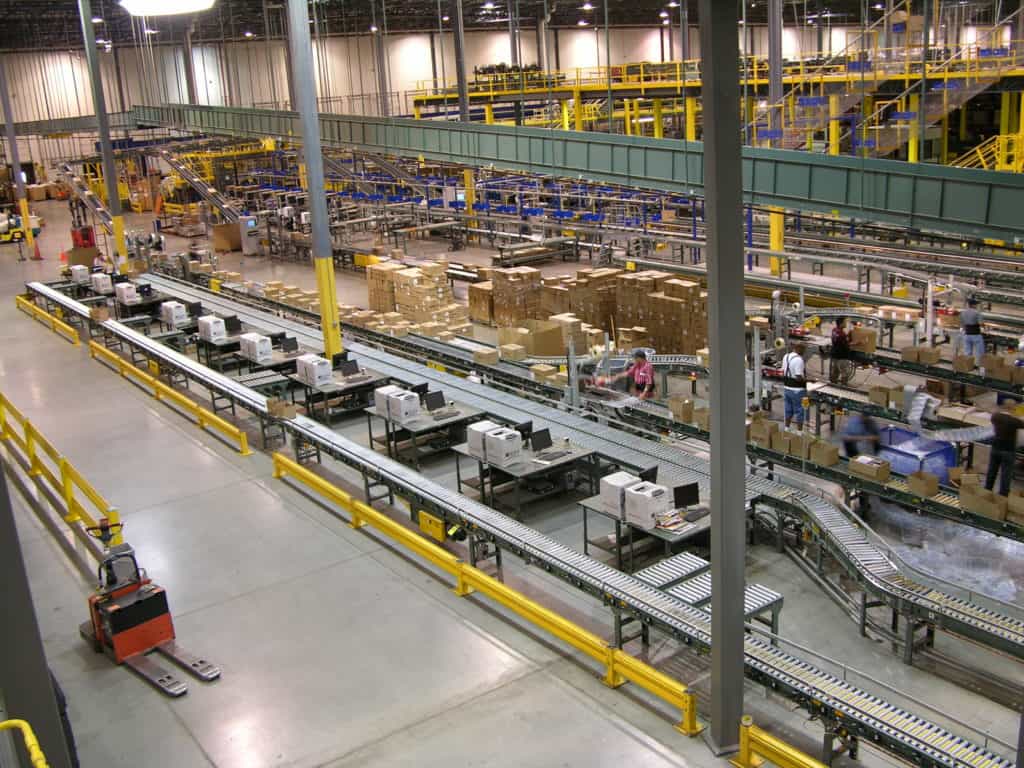
Zone picking with tote routing. Pick to light pairs naturally with pick-and-pass zone picking, where each tote visits only the zones its order needs. The lights speed up the pick inside the zone; the routing keeps pickers from walking between zones.
Kitting and assembly. Outside distribution, light-directed picking is common at kitting stations and assembly lines, where an operator pulls a set of parts for each unit or kit.
Where it usually doesn’t fit:
- The long tail. Lighting tens of thousands of slow-moving locations costs a lot for few picks. RF or goods-to-person usually covers them better.
- Large, heavy, or full-case picks. If the picker is walking aisles with a pallet jack, a light on the location adds little. Voice or RF fits better.
- Unstable slotting. If SKUs move locations every week, the lights still work, but someone has to keep the location map exact. More on that below.
How Pick to Light Works With a WCS and Conveyor
The lights are the visible part. The software and conveyor behind them decide whether the system performs.
The software layer
Something has to know which order is in front of which zone and which locations to light. That’s usually a WCS sitting between the WMS and the equipment. The WMS owns inventory and orders. The WCS takes released orders, manages batches and waves, routes totes, lights the locations, collects confirmations, and reports picks back to the WMS. Some WMS platforms drive lights directly. Century’s WCS lists pick-to-light and RF scanning as batch picking options, configurable batch sizes, simultaneous batches, and out-of-stock handling, along with put-to-light consolidation, pack verification, print and apply, and sortation in the same system.
When you evaluate a proposal, ask where each piece of logic lives:
- Who decides which zones a tote visits?
- Who handles a short pick: the light system, the WCS, or the WMS?
- How does a replenishment task get triggered when a location runs low?
- What happens to a tote whose order was cancelled after it was released?
The conveyor layer
A lit pick zone feeds and empties through conveyor. The conveyor has to:
- Divert totes into zones that have work and let others pass, with a scanner at each decision point.
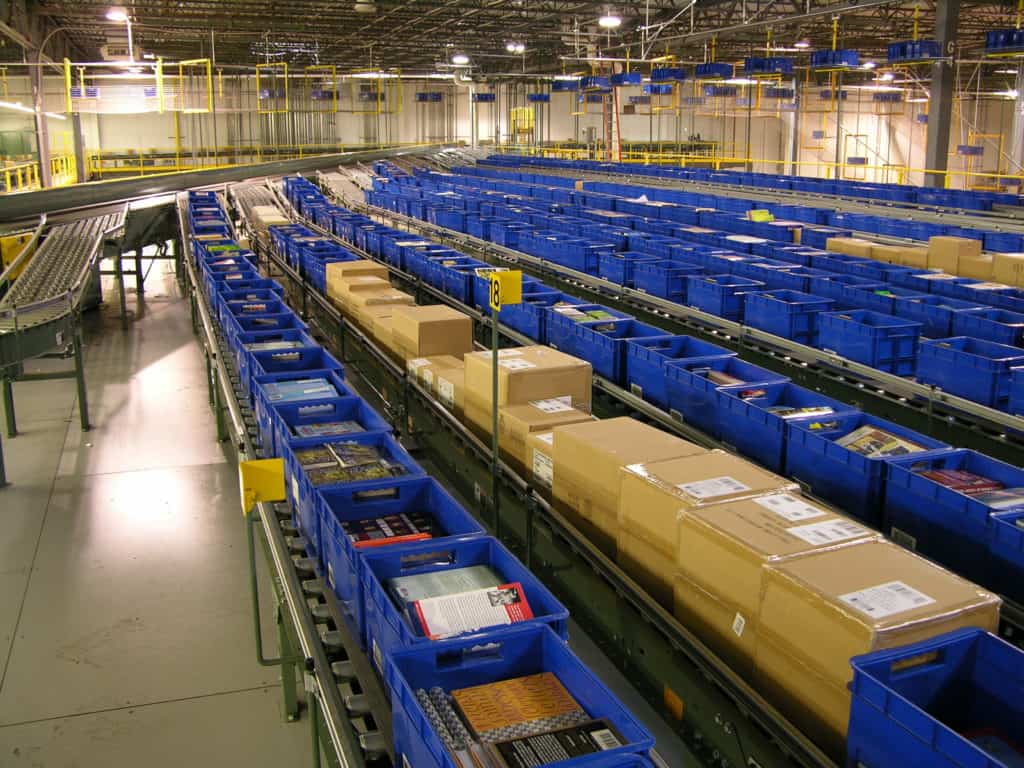
- Hold a queue at each zone so pickers always have the next tote ready. That’s a job for accumulation conveyor, usually zero-pressure so totes don’t push into the picker.
- Merge totes back onto the main line without blocking it.
- Recirculate or reroute totes when a zone is full.
Many newer pick zones use 24V MDR conveyor, because each zone runs only when a tote is present and the zone cards can report their status to the WCS.
What zone routing alone can do
The HD Smith distribution center Century integrated is a good example of how much the routing part matters. Before the system went in, the operation had two pick lines with about 100 feet of powered conveyor.
In the new system, the host computer tells the conveyor control system which pick zones each license-plate tote needs, and the tote is routed only to those zones. Primary pick locations went from 15,000 to 30,000. Lines shipped per DC worker went from 40 to 104 per hour, with pickers at 250 to 300 lines per hour. That project used zone routing with pick tickets, not lights, but it shows how much of the gain comes from sending the order to the picker instead of the other way around. Read the HD Smith story.
Designing a Pick to Light Zone: What Decides the Rate
Two operations can buy the same light hardware and get very different results. The difference is almost always in the design work.
Slotting
Put the fastest movers in the zone and spread them so no single picker gets buried. Within the zone, put the most frequent picks at waist to shoulder height. Re-slot on a schedule as demand changes. Lights make re-slotting easier, because there are no printed labels to update, but the location map in the software has to be right every time.
Zone size and balance
A zone should be small enough that a picker can reach every location in a step or two, and busy enough to keep that picker working. If one zone handles twice the picks of the others, the whole line runs at that zone’s pace. Balance zones by picks per hour, not by location count.
One order or several at once
Many lit zones handle one tote at a time. Higher-volume designs light two or more totes at once, using different light colors or a light at each tote position to show which order each pick goes to. That raises the rate but adds a chance of putting an item in the wrong tote, so the design needs a clear way to show the destination.
Replenishment
A lit location with nothing in it stops the line. Plan how locations get restocked (from the back of carton flow rack is ideal), how low-stock alerts trigger, and who does the work. Our pick methods article covers why replenishment timing becomes its own problem in high-SKU buildings.
Light hardware choices
Modules vary by display size, number of digits, light color options, button layout, and how they’re powered and networked. Wireless modules make re-slotting easier; wired rail systems are simpler to support over the long run. Ask how a failed module gets replaced, how long it takes, and whether spares are stocked locally.
For a vendor-neutral view of order fulfillment technology, MHI, the material handling industry’s trade association, is a good starting point; its Solutions Community industry group is made up of material handling systems integrators.
What Drives the Cost of a Pick to Light System
Century doesn’t publish pricing, and pick to light cost depends heavily on scope. What drives the budget is easier to pin down:
- Number of lit locations. The biggest single factor, because every location needs a module.
- Module type. Displays with more digits, multi-color lights, and wireless modules cost more per location.
- Software. Whether the WCS or WMS already supports pick to light, or needs a new module, interface, or upgrade.
- Conveyor and controls. Zone diverts, scanners, accumulation, and merges are often a bigger share of cost than the lights themselves.
- Rack and shelving changes. Converting static shelving to carton flow, or re-slotting a module, adds to the project.
- Installation phasing. Adding lights to a running zone usually means nights, weekends, or one zone at a time.
Common Pick to Light Problems and What Causes Them
| Symptom | Likely cause | What to check |
|---|---|---|
| Picker goes to a lit location and the product isn’t there | Location map out of date after re-slotting, or a missed replenishment | Audit the map against the rack; review replenishment triggers |
| Pickers in one zone are always behind | Zone carries too many fast movers | Re-balance zones by picks per hour |
| Totes stop in zones with no picks | Scanner misreads or a routing logic error | Clean and test scanners; check no-read handling |
| Lights stay on after picking | Picker skipped the confirm, or a module isn’t reporting | Retrain on confirm habits; test the module and its connection |
| Wrong item in the right tote | Two adjacent locations confused, or multi-order zone without clear destination | Add location spacing or labels; review how destination is shown |
| Line starves at the pick zones | Not enough accumulation in front of the zones | Check queue length against the zone’s cycle time |
Most of these trace back to process and data. The hardware tends to be reliable; the location map, replenishment, and routing logic are what need regular attention.
Adding Pick to Light to an Existing Operation
You don’t have to rebuild a pick area to add pick to light. Common paths:
- Retrofit lights onto existing carton flow rack or shelving in your highest-velocity zone, and keep RF or paper elsewhere.
- Add a put wall downstream of an existing batch-picking operation to speed up order consolidation without changing the pick area at all.
- Upgrade routing first. If totes currently visit every zone, adding scanners and diverts so they skip empty zones can be the bigger win, with lights added later.
Start with a simple velocity analysis: what share of your picks comes from your top few hundred SKUs? If a small slice of locations drives most of the work, a pick to light zone there is worth a serious look.
What is pick to light?
Pick to light is a paperless picking method that uses a light and a quantity display at each storage location. When an order needs an item from that location, the light turns on and shows how many to pick. The picker takes the units and presses the button to confirm.
How does a pick to light system work with conveyor?
A tote carrying an order is scanned as it travels the conveyor. If its order has picks in a zone, the conveyor diverts it into that zone and the system lights the needed locations. When every light is out, the tote is released to its next zone or to packing.
What is the difference between pick to light and put to light?
Pick to light directs a picker to take items from storage locations. Put to light directs an operator to place items into order locations, usually a put wall. Pick to light is used in the pick zone; put to light is used to sort batch-picked items into individual orders.
What is a put wall?
A put wall is a rack of cubbies, each assigned to one order or store, with a light and button at each cubby. An operator scans an item, the light shows which cubby it goes in, and a light on the pack side shows when an order is complete.
Is pick to light better than RF scanning?
For fast-moving SKUs in a compact zone, pick to light is usually faster because the picker doesn’t read a screen or scan a label for every pick. For large areas and slow movers, RF scanning costs less, because one device covers any number of locations.
Does pick to light need a WCS?
It needs software that knows which order is at which zone and which locations to light. That’s often a WCS, which also handles tote routing and conveyor. Some WMS platforms can drive lights directly, but conveyor routing still has to be controlled somewhere.
Can pick to light be added to existing carton flow rack?
Yes. Light modules mount on the front rail of existing carton flow rack or shelving. The bigger work is usually the software interface, the location map, and any conveyor changes needed to route totes to the new zone.
Plan Your Pick to Light System With an Integrator
Pick to light works when the lights, the slotting, the software, and the conveyor are designed together. Get those right, and pickers in your fastest zones spend their time picking instead of searching. Get them wrong, and you’ve lit up a zone that waits on replenishment or totes that never arrive.
Century Conveyor has been designing, installing, and supporting order fulfillment systems since 1981. If you’re looking at pick to light, a put wall, or better routing for the zones you already have, explore Century’s warehouse control systems and pick modules, or contact our team to talk through your order profile.